Installation & Files
This page contaisn information about the ERPConnect setup.
Prerequisites
Administrator permissions are required to install ERPConnect.
Setup
ERPConnectSetup.exe is an industry standard setup. Execute the ERPConnectSetup.exe file and follow the instructions of the setup.
The installation process copies the class library and all available tools into the program directory.
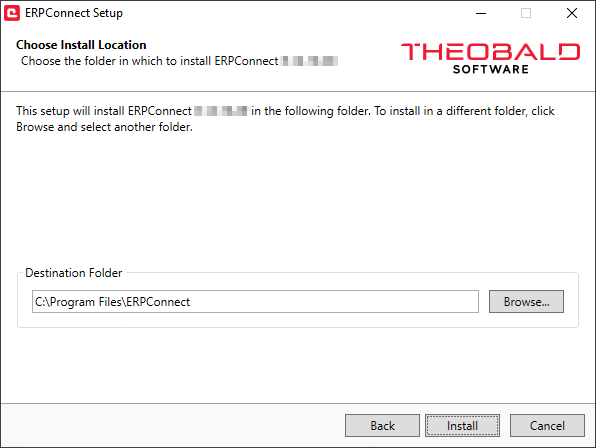
After the installation you are able to use ERPConnect in your .NET environment.
The license installation procedure is described in the section Installing the license.
Program Directory Files
The list below shows several most important files that are placed into the default directory C:\Program Files\ERPConnect after installation:
| Files | Description |
|---|---|
ERPConnectStandard20.dll (*) | The ERPConnect class library for .NET Standard 2.0. |
ERPConnectStandard20.xml | Visual Studio documentation files. |
TransactionRecorder.exe | Small tool to record batch sequences and create appropriate .NET code, see Transaction Templates. |
IdocSchemeGenerator.exe | Small tool to generate XML schemas for IDocs, see IDocs Templates. |
FunctionTemplateGenerator.exe | Small tool to generate XML templates for RFCFunction objects, see BAPI/Function Module Templates. |
After the installation you are able to use ERPConnect in your .NET environment.
The files marked with (*) can be supplied as redistributables with your application.
ERPConnect on Linux
The ERPConnect setup is available only for Windows. You cannot develop Linux applications directly on Linux. To run ERPConnect applications on Linux:
- Execute the Setup on Windows and copy the
ERPConnectStandard20.dllfor your application. - Compile the .NET program for Linux on your Windows computer.
- Install .NET on the Linux target machine, see Microsoft Documentation: Install .NET on Linux.
- Make sure the NetWeaver RFC library for Linux is available on the Linux target machine:
- Download the NetWeaver library from the SAP Software Download Center.
- Copy the
/nwrfcsdkfolder from the SAP NetWeaver RFC SDK archive to your Linux machine, e.g.,/usr/local/sap/nwrfcsdk/. -
Add an environment variable that points to the
/libdirectory inside the/nwrfcsdkfolder. Example for Ubuntu:On Ubuntu systems,
LD_LIBRARY_PATHlists all directories where the system searches for runtime libraries. For more information about environment variables, refer to the Ubuntu Documentation: Environment Variables.
Note
ERPConnect tools like the IDoc Schema Generator, Transaction Recorder, and Function Template Generator are available only for Windows.