Xtract Hierarchy
This page shows how to use the Xtract Hierarchy component. The Xtract Hierarchy component can be used to extract Hierarchies and InfoObjects from SAP BW systems.
Note
To extract hierarchies from a BW system, use the Xtract Hierarchy component. To extract hierarchies from an ERP system like ECC or S4, use the Xtract ODP component.
Prerequisites
- A connection to an SAP system is available, see SAP Connection.
- The SAP user has sufficient user rights, see SAP Authority Objects.
Warning
Missing Authorization.
To use the Xtract Hierarchy component, access to the designated authority objects (RFC) in SAP must be available. Adjust SAP Authority Objects accordingly.
Add an Xtract Hierarchy Component
To add an Xtract Hierarchy component to your workflow:
- Drag & drop the Xtract component to your Alteryx workflow .
- Assign an existing SAP connection .
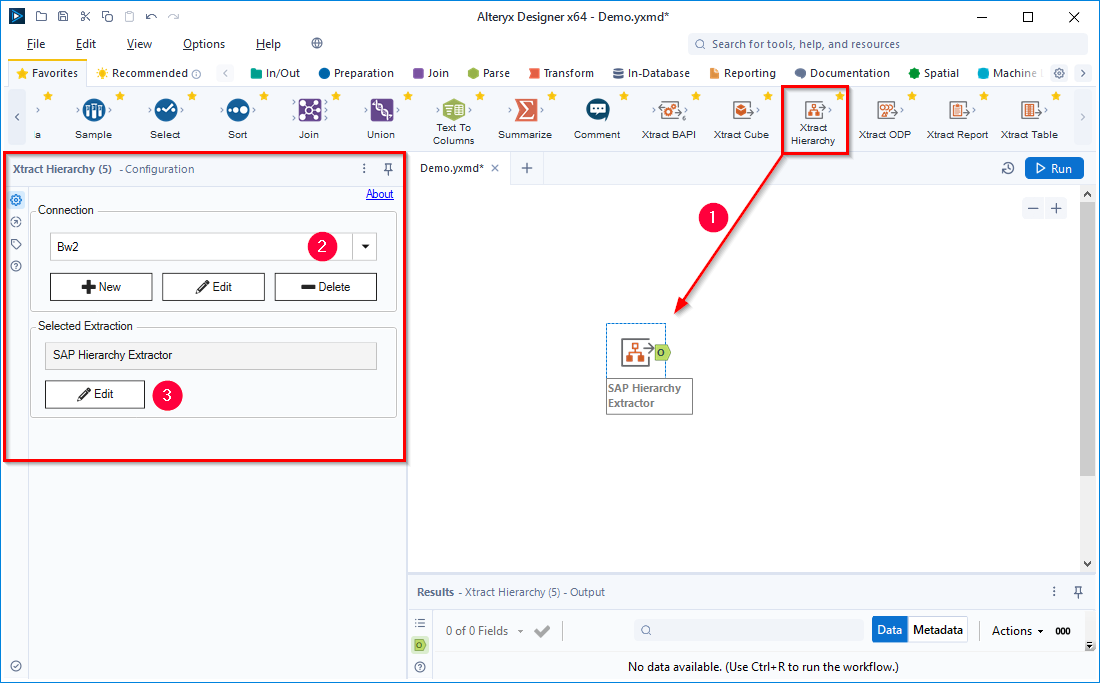
- Click [ Edit] .
The main window of the component opens and you can start setting up your component.
Look Up a Hierarchy
Follow the steps below to look up a hierarchy in SAP:
- In the main window of the component, click [ ]. The window “Hierarchy Lookup” opens.

- Enter the name of a Hierarchy in the field Hierarchy Name or the name of an InfoObject in the field InfoObject . Use wildcards (*) if needed.
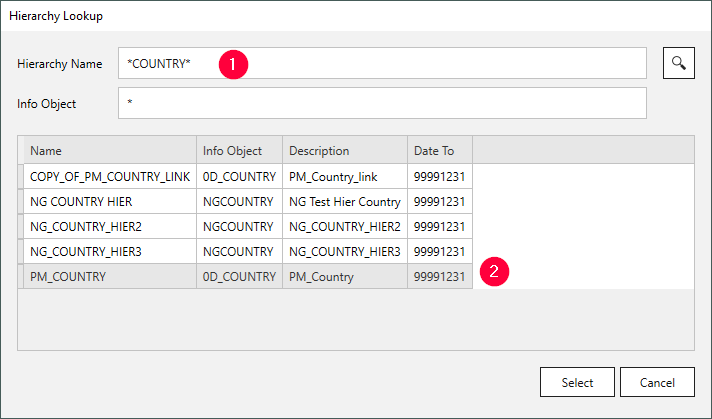
- Click [ ]. Search results are displayed.
- Select a Hierarchy and click [Select].
The hierarchy is selected and the application returns to the main window.
Configure the Xtract Hierarchy Component
To configure the Xtract Hierarchy component:
-
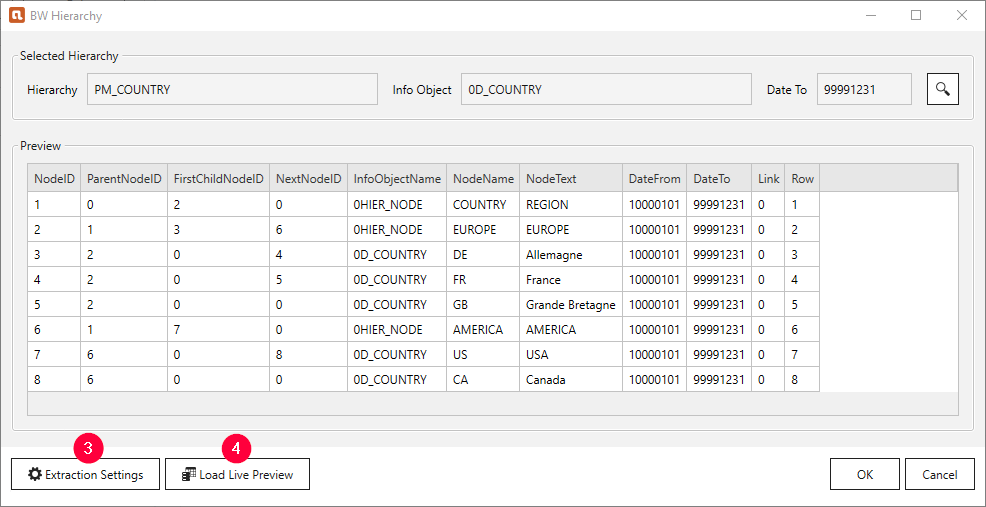
Define the output format of the Hierarchy in the extraction settings . The Xtract Hierarchy component supports the following output formats:
-
Click [Load live preview] to display a live preview of the first 100 records.
-
Click [OK] to save the component.
The Xtract Hierarchy component is defined and ready to run.