Change Data Capture with CDHDR
The following article shows how to load data incrementally (daily) from an SAP Table with no delta pointers / date fields. The depicted example scenario uses two tables:
- MAKT (Material Descriptions), which has no date fields.
- CDHDR (Change Documents Header), which holds the header information of the changed records. CDHDR is used to determine the delta information of MAKT and other tables.
Prerequisites
- Prepare a record for the delta extraction:
Change the description of a material in MAKT, e.g., change the description “ABC” of material 2593 to "Test_delta”.

- Check if CDHDR registered the change:
Filter the field UPDATE for today's date. The change made in MAKT should be listed.

Daily Data Extraction
To extract data from MAKT that was changed on the same day:
- Create a new Table extraction.
- Look up the tables MAKT and CDHDR.
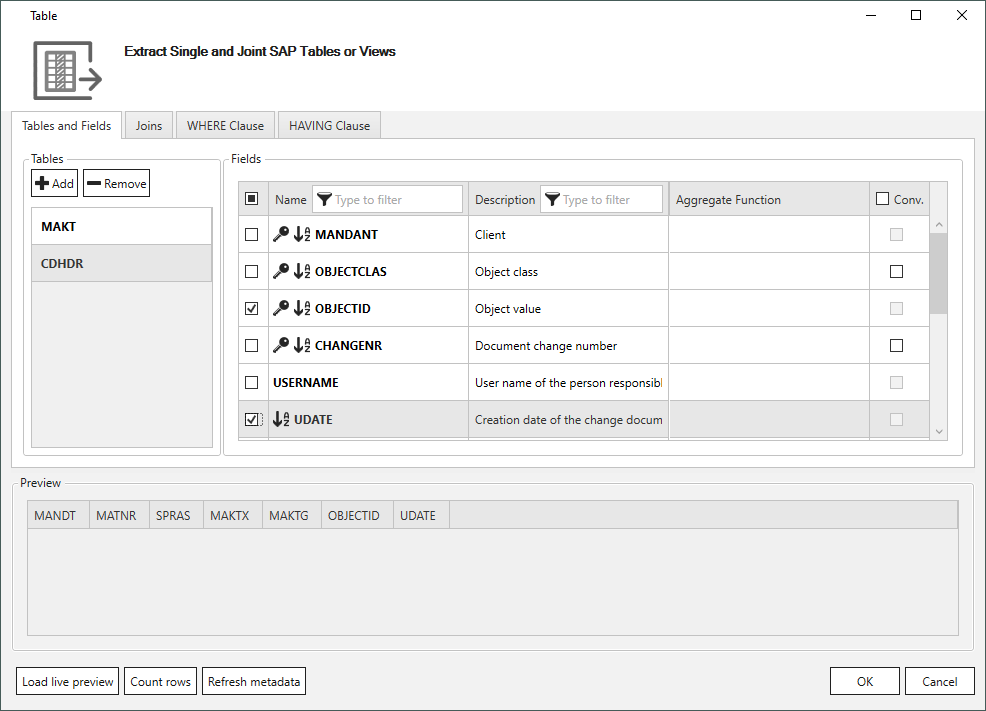
- Select the fields OBJECTID and UDATE from CDHDR for the output.
- OBJECTID contains information about the Key on which the changes are made. This field is used for joining the tables and to get the delta data from MAKT.
- UDATE contains the date on which updates occurred. This field is used to filter the data for specific dates.
- Select the fields you want to extract from MAKT for the output (MATNR is mandatory).
- Open the tab Joins and click [Add]. The window "Join" opens.
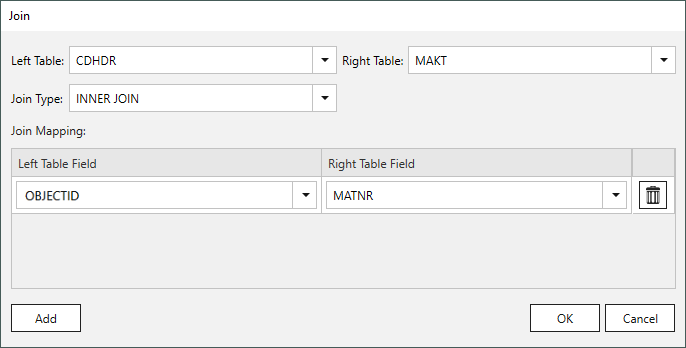
- Select the join type INNER_JOIN to combine the tables CDHDR and MAKT. The OBJECTID from CDHDR and MATNR from MAKT have same entries and thus form an inner join condition.
- Click [Add] and confirm your selection with [OK].
- Open the tab WHERE Clause and enter the following filter criteria: This criteria uses script expressions to get the current date in the SAP format ("yyyyMMdd").
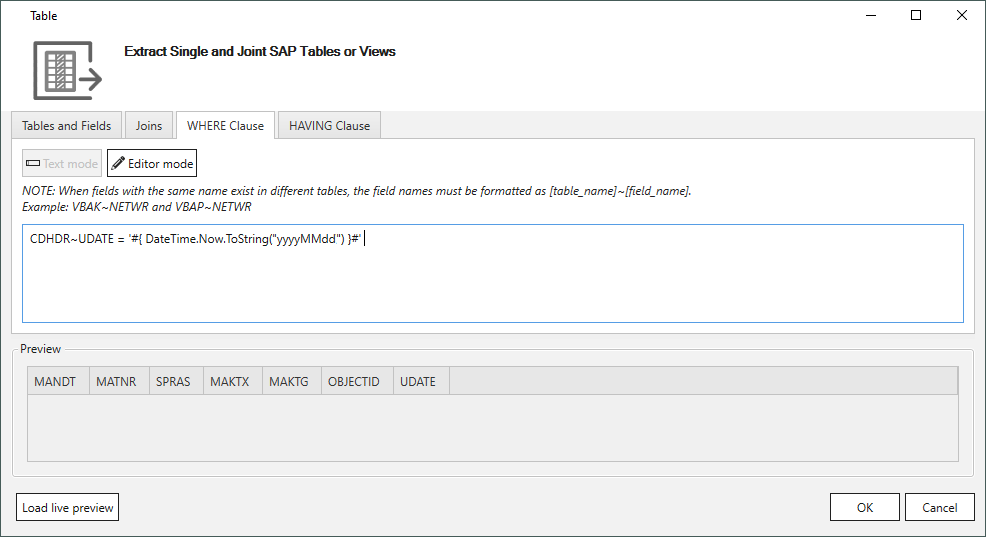
- Click [Load live review] to check the results. Only the data in MAKT that has been changed on today’s date is extracted.
- Schedule the SSIS package daily.
Changed data is extracted daily based on CDHDR.
Tip
To extract all changes of the day before, change the WHERE clause to CDHDR~UDATE >= '#{ DateTime.Now.AddDays(-1).ToString("yyyyMMdd") }#' and schedule the extraction every night at 1p.m. or later.
Related Topics
Last update: January 7, 2026