ODP OData Services
This page shows how to use the ODP OData service type.
The ODP OData service type can be used to extract ODP-based data using OData services.
About ODP via OData
Open Data Protocol (OData) is a web protocol for querying and updating data. OData can be used to access the Open Data Provisioning (ODP) framework and extract ODP data, e.g., Hierarchies, Tables, Views, DataSources, etc.
To extract ODP data via OData, a corresponding OData service is required. The data model of the service specifies, which data sets are accessible and how the data is structured. Once the service is registered in the SAP Gateway system, Xtract Universal.iQ can consume the service.
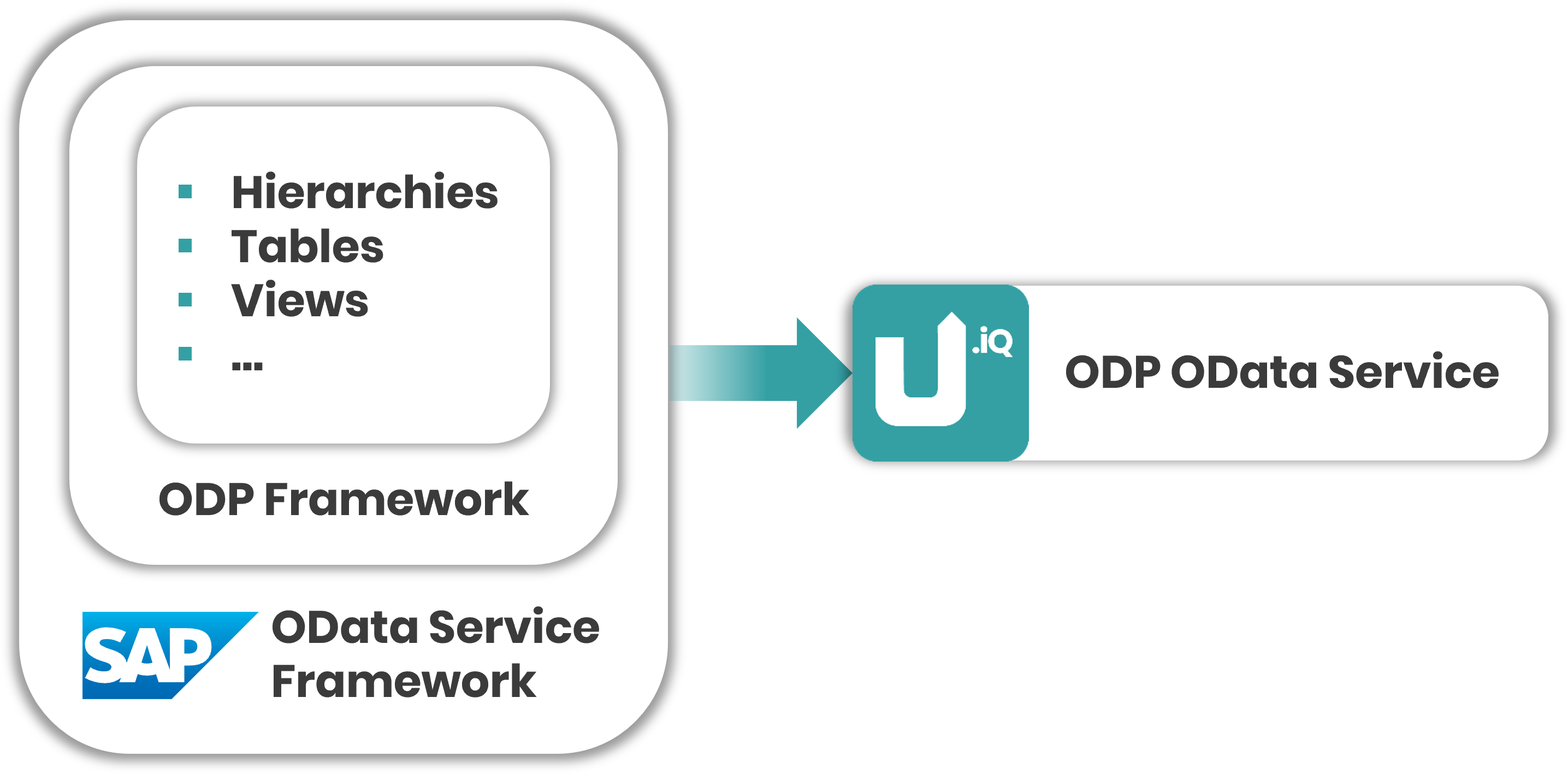
For more information, see SAP Help: ODP-Based Data Extraction via OData.
Tip
For information on how to create OData services that provide ODP based data, refer to the Knowledge Base Article: Create OData Services using the SAP Gateway Builder.
Supported Features
- All available ODP contexts of an SAP system are supported, see SAP Help: ODP-Based Data Extraction via OData. This includes:
BW(SAP NetWeaver Business Warehouse InfoProviders)DataSource / Extractors(Service-API / S-API)ABAP CDS Views(ODP-CDS)SLT(Subscriber/Replication)
- Delta extractions (with initial full load) if the ODP data source supports deltas, see Subscriptions.
- Data packaging for large amounts of data, see Package Size.
- Selections to filter the data before extraction, see Filters.
Limitations
The following limitations apply to delta extractions:
- Delta loads are supported for:
- SAP DataSources
- CDS Views that use a specific setup method, see Knowledge Base Article: Create OData Services for CDS Views.
- Delta subscriptions are limited to one SAP user per service. To enable multiple delta subscriptions for a single user, the ODP framework must be exposed via multiple services.
Prerequisites
- OData services for ODP extractions are available in the SAP system, see SAP Help: Generating a Service for Extracting ODP Data via OData.
- To extract a DataSource, the DataSource is activated in SAP, see SAP Help: Set Up and Activate DataSources.
- Before creating ODP (OData) extractions, test the ODP source in SAP using the ABAP report RODPS_REPL_TEST to rule out and troubleshoot ODP problems in the ODP source. For more information, see SAP Wiki: Replication test with RODPS_REPL_TEST.
Create an ODP OData Service
To create a new ODP OData web service in Xtract Universal.iQ:
- Open the Services menu.
- Click [Add Service].
- Enter a unique name and a description.
- Optional: Activate the checkbox Enable MCP Access and add an MCP description to expose the service via the Xtract Universal.iQ MCP Server.
- Select an existing SAP connection from the Connection dropdown. If no connection is available, create a connection, see Connect to SAP.
- Select ODP OData from the Type dropdown.
- Select a target environment from the Destination dropdown. By default, Xtract Universal.iQ services return SAP data in HTTP response of the service (HTTP destination).
- Click [Save].
The service is now listed in the Services menu.
Next, select the SAP object you want to extract.
Load an OData Service
To select an OData service from your SAP source system:
- Create or open an ODP OData service.
- In the Source section of the service, click [Select Data Provider]. The "Select Data Provider" menu opens.
- Enter the name or description of an SAP OData service. Use wildcards ( * ) if needed.
- Click [Search] to display the search results.
- Select an SAP OData service from the list of search results. The "Select Data Provider" menu closes.
Xtract Universal.iQ loads and displays the metadata of the SAP OData service.
Next, configure the remaining service settings.
Configure the ODP OData Service
After creating the service, configure the service using the following workflow:
- Go to the output columns section and select the fields you want to extract. By default all fields are selected.
- Optional: Activate the option Delta / Change tracking to initialize incremental loads, see Subscriptions.
- Optional: Define filters to limit the result set of the service, see Filters.
- Optional: Edit the Service Settings to define how the data is extracted from SAP.
- Optional: Edit the Destination Settings to define the output of the service.
For more information, see ODP OData Settings.