Connector Templates
This page shows how to use Templates in Enterprise Glossary.
Templates are the base for Entities. There is a predefined template for every supported object type.
About Templates
Templates cannot be copied or deleted, but they can be modified using Fields and Custom Fields.
By modifying a Template you can:
- Change the layout of an Entity
- Remove Fields from the layout of an Entity
- Add Fields to the layout of an Entity
Edit Templates
Only authors can edit Templates. To edit a Template:
- In the navigation bar, go to Templates > Templates. A list of templates opens.
- Choose the template / object type you want to modify.
- Click the pen icon () in the Actions column of the template. The Template settings open.
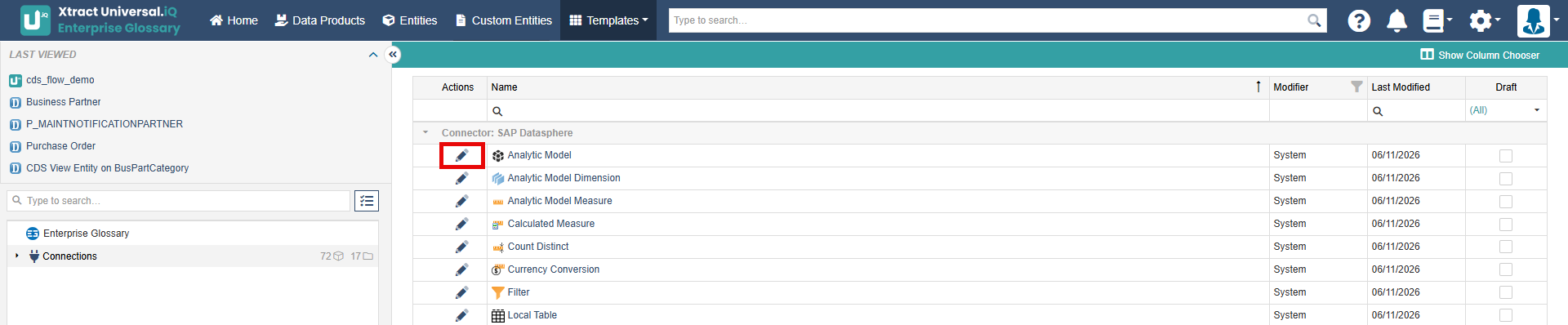
- Make changes to the template by adding or removing Fields, see Template settings.
- Click [Publish] to update the existing template.
The new template settings are applied to all Entities that use the template.
Template Settings
The Template settings consist of the following areas:
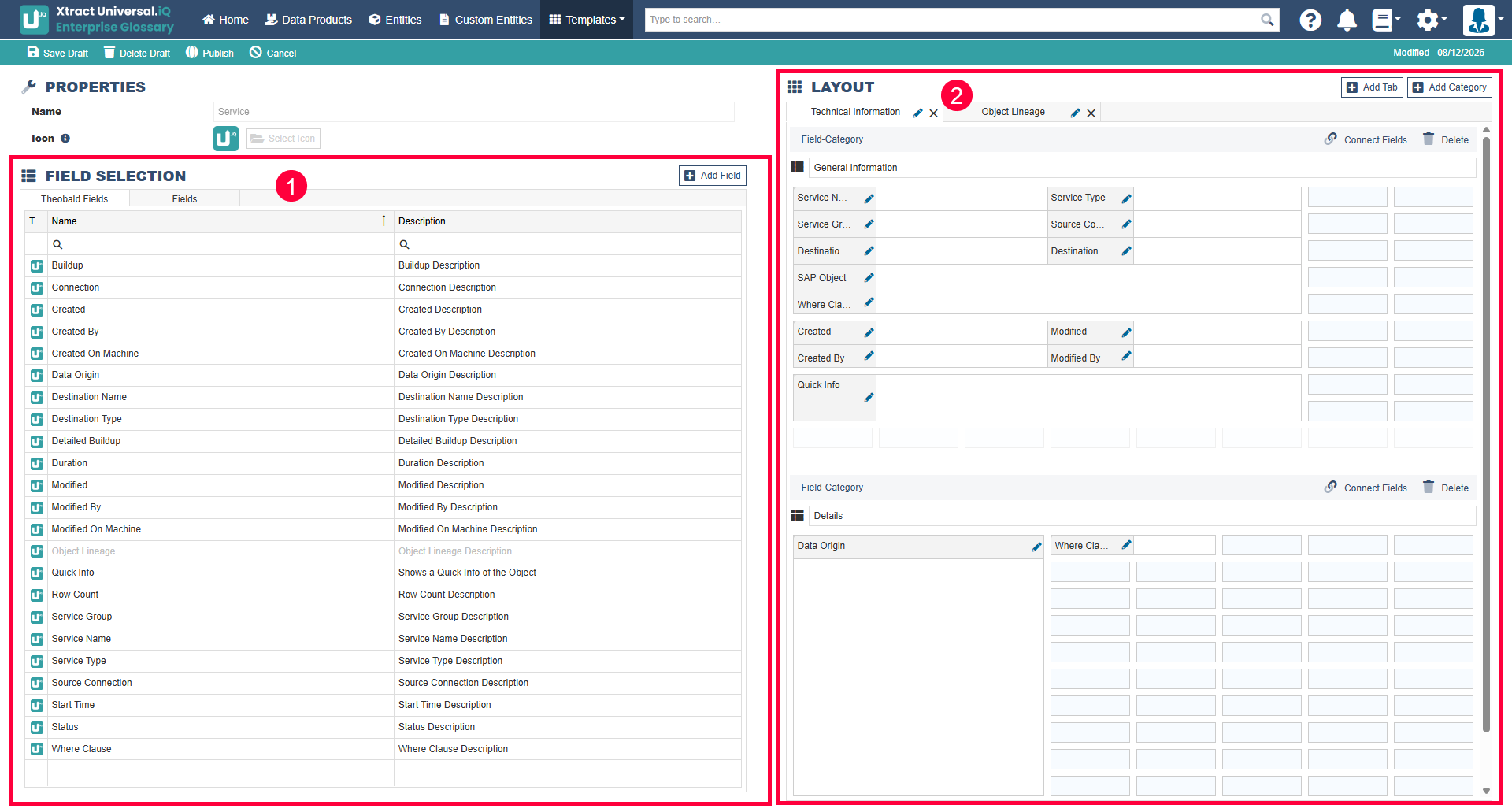
Field Selection
The field selection contains a list of all available Fields that you can add to the template by dragging and dropping them into the layout section. The same Field can be added multiple times to the same template.
You can create additional Fields to extend your template, see Custom Fields.
Layout
The layout defines the structure and content of Entities associated with the template.
- Tabs: represent pages in a template, e.g., "Overview", Object Lineage" and "Where-Used". You can add tabs to structure templates.
- Categories: collects Fields into groups inside a tab. You can add categories to structure templates.
After adding Fields to the layout, you can change the size of a Field by dragging the edges to the desired height or width.