Access Data in the SAP Public Cloud using RFC BAPI
The following article shows how to access data from the SAP S/4HANA Public Cloud. Xtract Universal.iQ can access BAPIs / Function Modules that are available via SAP Communication Scenarios.
About Communication Scenarios
Communication Scenarios are used to exchange data between the SAP Cloud and external systems.
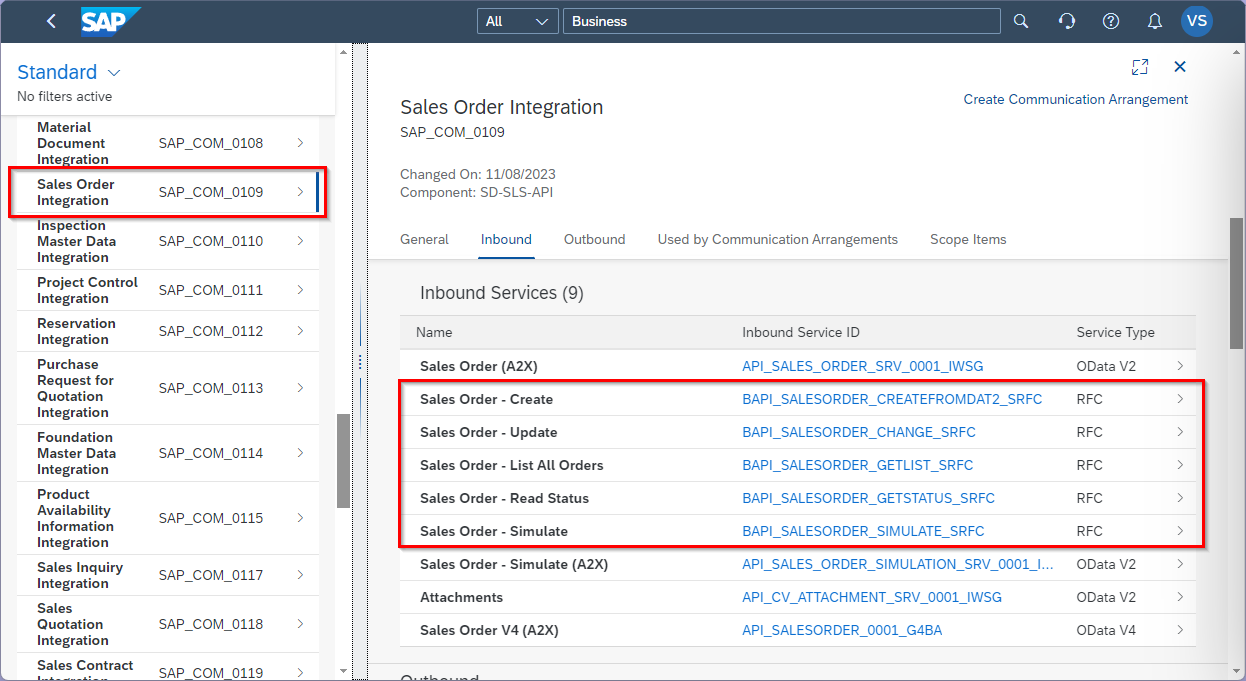
You can use the Display Communication Scenarios app in the SAP Public Cloud to look up available Communication Scenarios that provide access to BAPIs / Function Modules, e.g., the Communication Scenario SAP_COM_0109 includes BAPIS that are used for Sales Order Integration.
In Communication Scenarios BAPIs / Function Modules are listed as Service Type RFC:
Prerequisites
- The Administrator role in the SAP Public Cloud is required to set up communication on the SAP side.
- The Communication Scenario SAP_COM_0636 (Remote Function Call - RFC Metadata Integration) must be accessible in the SAP Public Cloud.
- Download the SAP Cryptographic Library (libsapcrypto.so) from the SAP Service Marketplace.
- Create a Client PSE to connect Xtract Universal.iQ to SAP Cloud Systems.
Enable Communication in the SAP Public Cloud
To make BAPIs / Function Modules accessible for external systems using the Communication Management apps in the SAP Public Cloud:
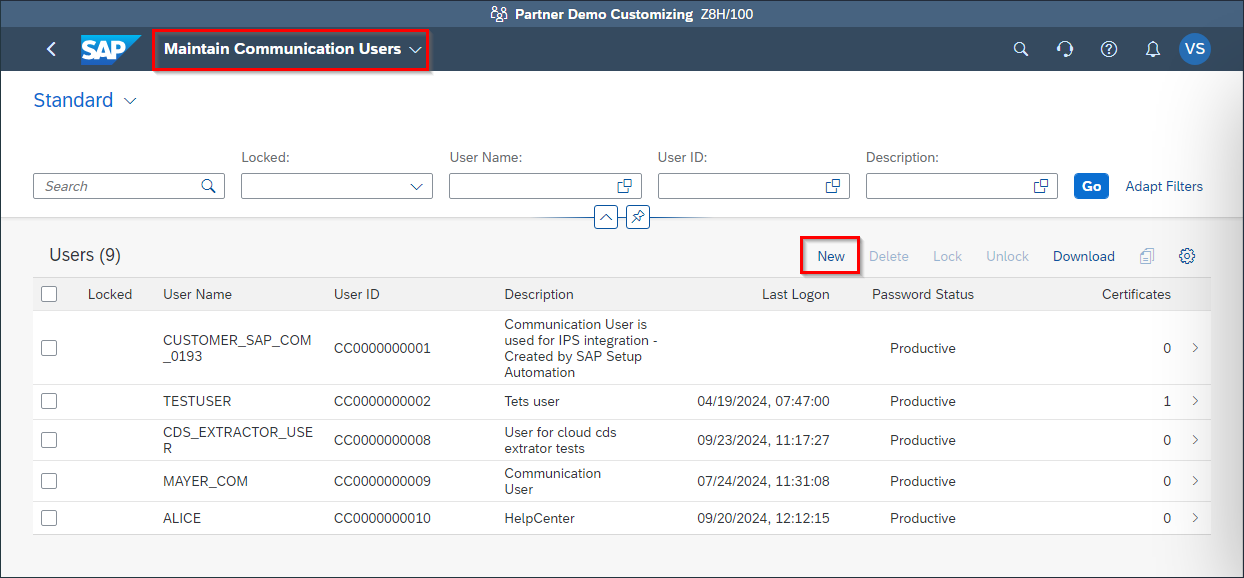
- Create a Communication User in the Maintain Communication Users app.
- Create a Communication System that handles inbound service calls in the Communication Systems app.
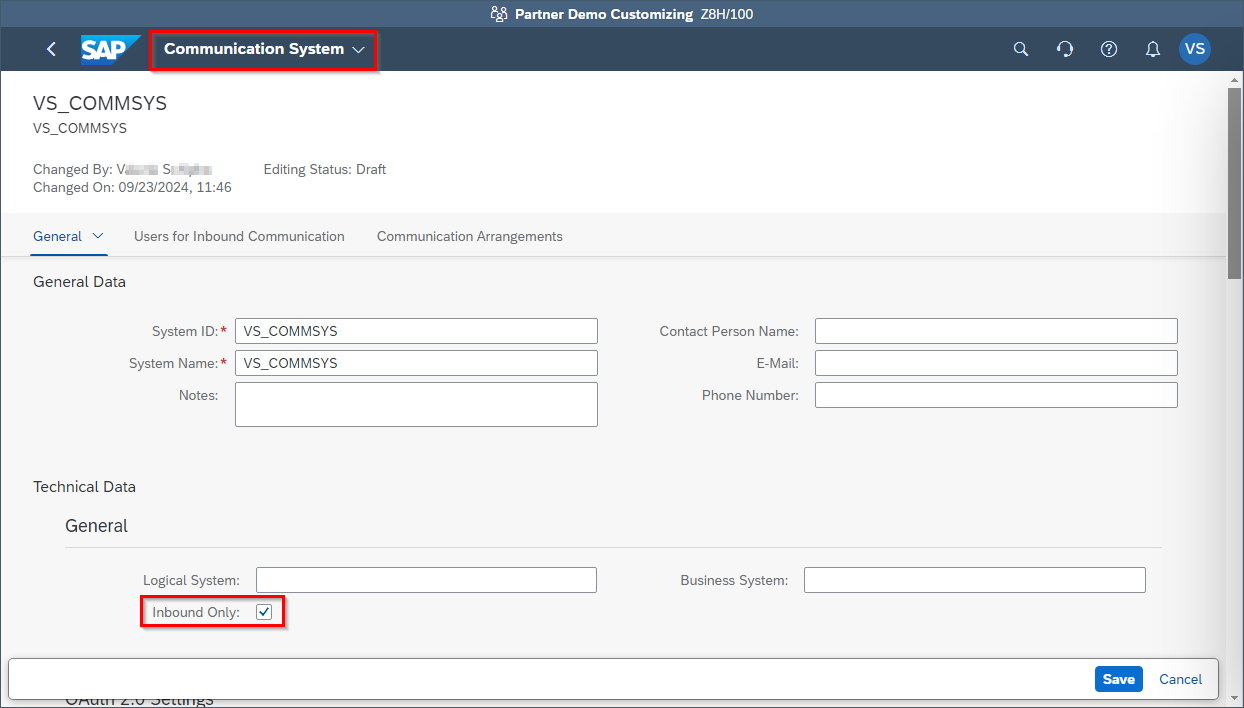
- Assign a Communication User to the Communication System in the subsection Users for Inbound Communication.
- Create Communication Arrangements to define, which Communication Scenarios can be accessed by the Communication System and the Communication User. The Communication Scenario SAP_COM_0636 (Remote Function Call - RFC Metadata Integration) is mandatory for using the Function Module / BAPI service type in Xtract Universal.iQ.
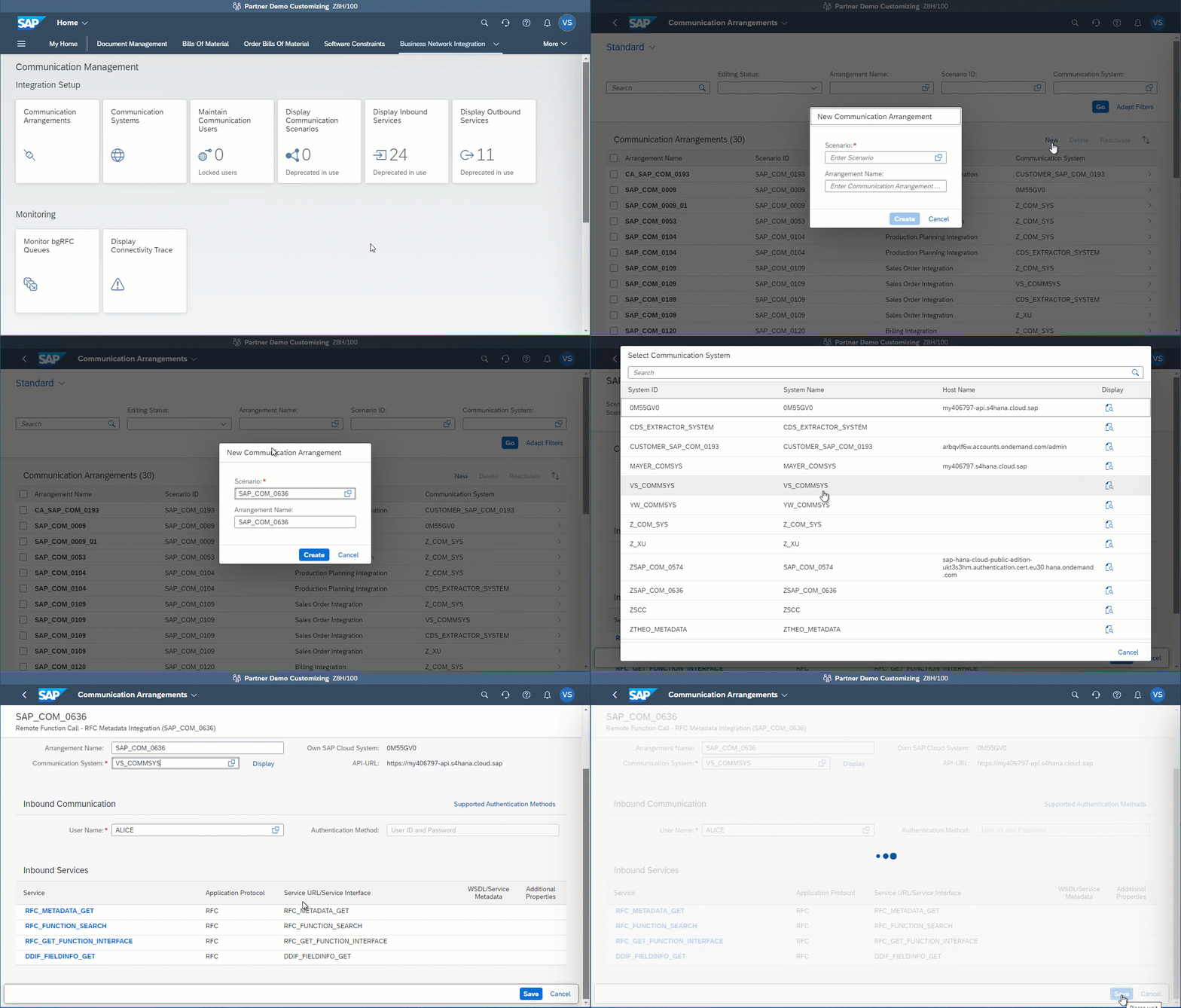
Communication between Xtract Universal.iQ and the SAp Public Cloud is now possible.
For more information, see SAP Help: Setting up Communication Management.
Related Topics
- SAP Help: Setting up Communication Management
- SAP Community: Calling BAPIs in the SAP S/4HANA Public Cloud
- Knowledge Base Article: Create a Client PSE to connect to SAP Cloud Systems
Written by: Valerie Schipka