Direct Links to Entities in Source Systems
This article shows how to create direct links to Entities that can be used outside Enterprise Glossary.
Direct Links to Entities
You can link to Enterprise Glossary Entities from outside by attaching a specific appendix to the domain of your Enterprise Glossary instance.
The logic of how to create this appendix varies depending on the external systems
For SAP BW Entities there are two different ways to create a link:
https://<hostname>.com:8443/sapEntities/38017/sapEntities/sap-bw?connection=<connectionName>&uniqueId=<uniqueId>https://<hostname>.com:8443/sapEntities/sap-bw?connection=<connectionName>&techName=<techName>[&type=<type>]
| Parameter | Description |
|---|---|
connectionName | name of the connection inside the Enterprise Glossary. |
techName | technical name of sap bw object. |
type (optional) | specifies the sap bw object type to search for with the technical name. |
uniqueId | UID of the SAP BW Object. If the unique id is specified inside the url, all other parameters are ignored. |
For SAP BO Entities there are three different ways to create a link:
https://<hostname>.com:8443/sapEntities/sap-bo?connection=<connectionName>&boId=<boId>https://<hostname>.com:8443/sapEntities/sap-bo?connection=<connectionName>&fullPath=<fullPath>https://<hostname>.com:8443/sapEntities/sap-bo?connection=<connectionName>&name=<name>[&type=<type>]
| Parameter | Description |
|---|---|
connectionName | Name of the connection from the Enterprise Glossary. |
boId | BoId of the SAP BO object. |
fullPath | The full path to the SAP BO object including the name. |
name | The name of the SAP BO object. |
type (optional) | Numerical value for the object type Analysis For Office = 1 Design Studio = 2 Lumira = 3 Web Intelligence = 4. |
For SAC Entities there are three different ways to create a link:
https://<hostname>.com:8443/sapEntities/sap-sac?connection=<connectionName>&sacId=<sacId>https://<hostname>.com:8443/sapEntities/sap-sac?connection=<connectionName>&fullPath=<fullPath>https://<hostname>.com:8443/sapEntities/sap-sac?connection=<connectionName>&name=<name>[&type=<type>]
| Parameter | Description |
|---|---|
connectionName | Name of the connection from the Enterprise Glossary. |
sacId | The Id of the SAC object from the cloud. |
fullPath | The full path to the SAC object including the name. |
name | The name of the SAC object. |
type (optional) | Numeric value for the object type Story = 1. |
For HANA Entities there are two different ways to create a link:
https://<hostname>.com:8443/sapEntities/sap-hana?connection=<connectionName>&name=<name>&package=<package>https://<hostname>.com:8443/sapEntities/sap-hana?connection=<connectionName>&fullPath=<package>/<name>
| Parameter | Description |
|---|---|
connectionName | Name of the connection from the Enterprise Glossary. |
name | The name of the HANA object. |
package | Name of the package the HANA object is contained in. |
Add Buttons to SAP Analytics Clouds
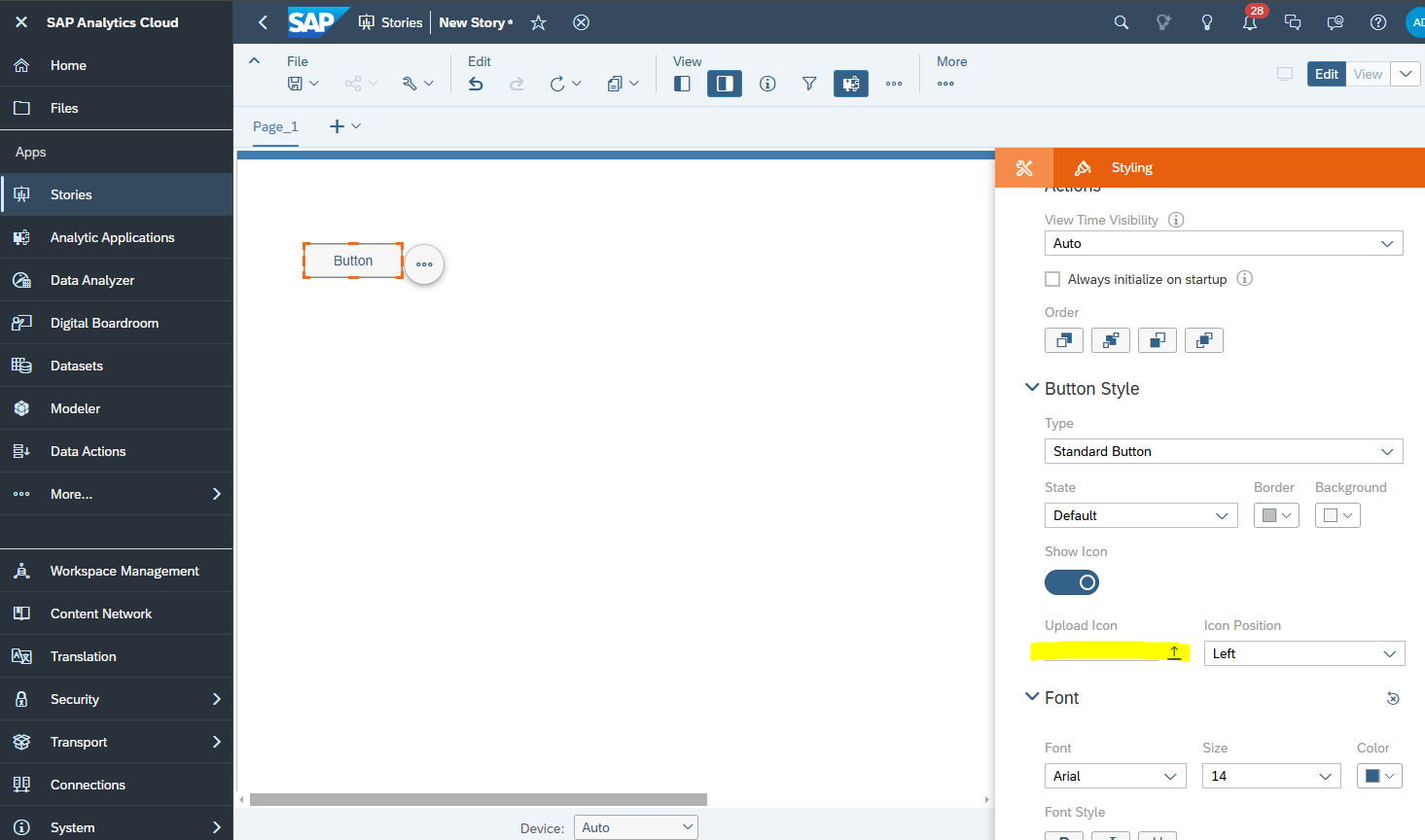
To integrate a button in SAP Analytics Clouds (SAC) objects that directly jump to the corresponding Entity in Enterprise Glossary.
- Add a button to your SAC object. You can use the Enterprise Glossary icon for that button if you like.
-
Use the following script for the
onClickevent of the button: -
Save the button.
The button in SAC now links to the Entity in Enterprise Glossary