Deactivate Usage Data Collection
This article shows how to opt-out of the usage data collection by Xtract Universal.
About Usage Analytics
Usage data is collected to improve Xtract Universal in a way that benefits our customers, see Benefits of the Usage Analytics Feature. Typical usage data include the source type and extraction types that are in use, referenced SAP objects, statistics about axtraction runs, etc. For more information, refer to our Privacy Policy.
Opt-Out
To deactivate the usage data collection:
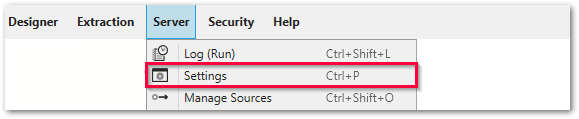
- Go to Server > Settings.
- Open the Web Server tab.
- Deactivate the following checkboxes:
The usage data collection is now deactivated. You can opt-in again by reactivating the checkboxes.
Related Links
Last update: January 7, 2026
Written by: Valerie Schipka