Introduction
 This section contains user documentation for yunIO.
About yunIO
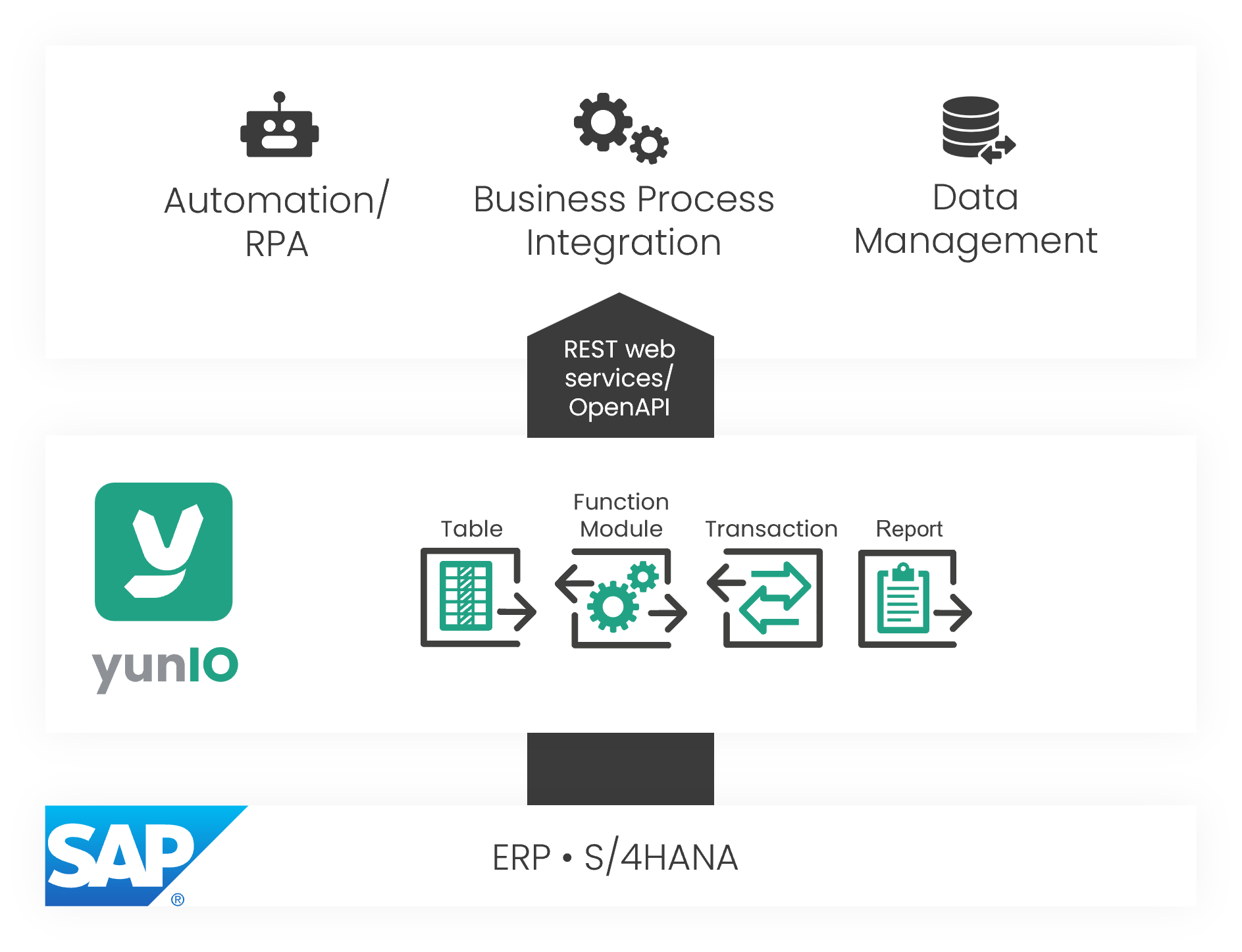
yunIO is a no-code application for designing, automating, and integrating SAP processes in the cloud. The service offers easy integration of SAP data and business processes in different platforms and applications.
yunIO provides REST-based services to read and write data from and to connected SAP systems. The web services can be easily integrated into your process automation solutions, e.g. Power Automate, Nintex, etc.
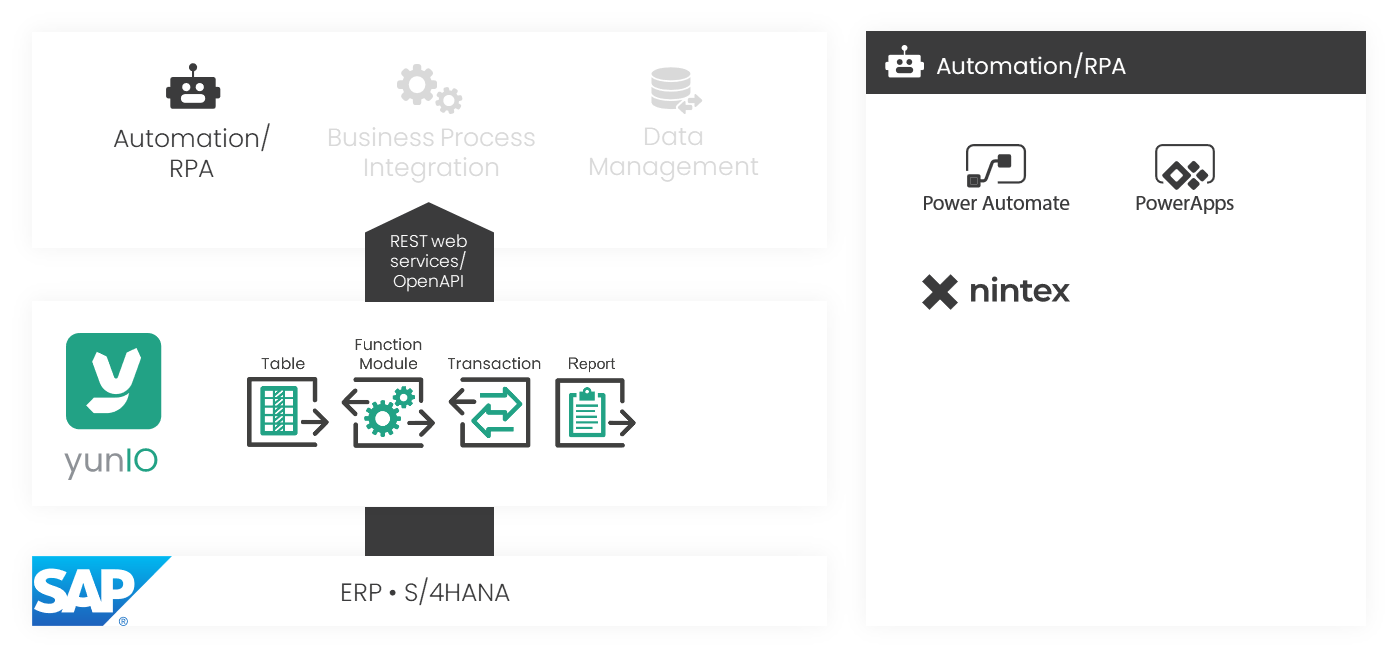
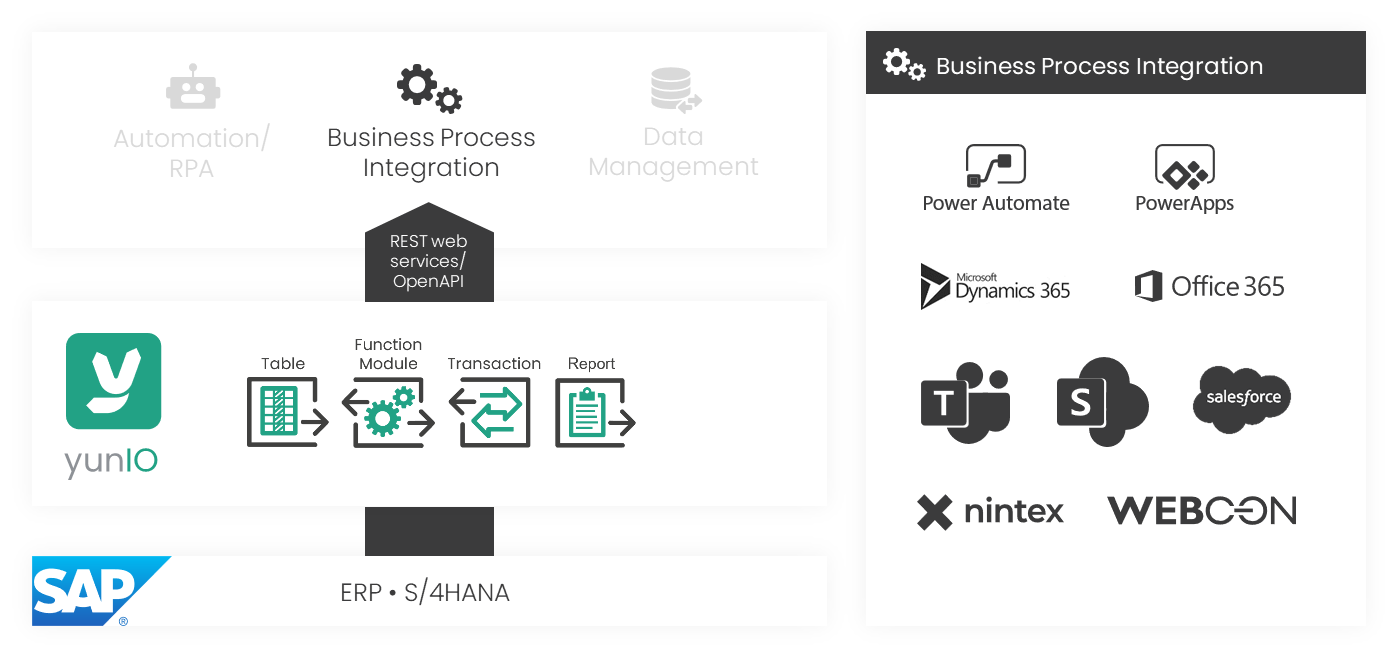
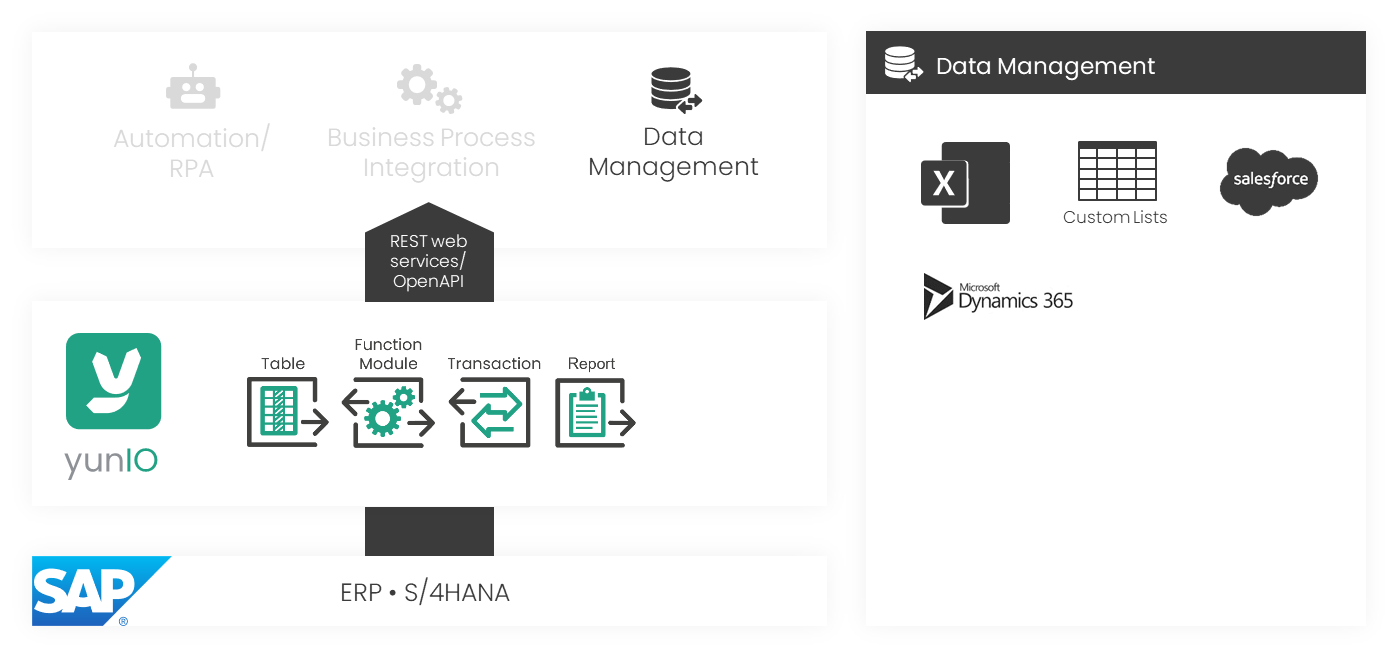
Software Architecture
yunIO comes with an embedded Web UI, the yunIO Designer, that can be accessed through a standard web browser. A Windows service enables connectivity with SAP.
The yunIO service is installed on a local or cloud-hosted Windows server environment. If yunIO is installed on a local server environment, a Gateway instance of your choice (e.g. Microsoft on-premises data gateway) can be used to securely tunnel the connection.
Connections
Connections define how yunIO connects to external systems. There are two types of connections:
- Sources: SAP systems from which data is retrieved, e.g., SAP S/4HANA, SAP BW, etc.
- Destinations: Systems where data is sent, e.g., http-kson and Amazon S3.
Integration Types
Integration Types define what kind of data is collected from a source system and how it is retrieved. yunIO offers the following integration types to support a wide range of integration scenarios:
| Integration Type | Description |
|---|---|
| Function module / BAPI | Run BAPIs and Function Modules to collect specific data from SAP. |
| SAP Table and View | Read data directly from SAP tables and views. |
| Transaction | Run SAP transactions automatically, without using the SAP GUI. |
| Report | Execute SAP ABAP reports and retrieve their results. |
The yunIO HelpCenter is designed to introduce users to the main functions of yunIO. It provides comprehensive information about the product, including installation guides, user manuals, and best practices.
Theobald Software's claim is to keep the HelpCenter content up to date according to the latest product version. Information concerning older versions is removed gradually from the documentation content. It is generally recommended to always install the latest version of the product. Theobald Software's claim is to always update all used screenshots of other software vendors, nevertheless this cannot be guaranteed.
©2026 Theobald Software GmbH. All rights reserved.
Target Group and Audience
This HelpCenter is for all users of yunIO. The main sections of the HelpCenter address the following user needs:
- Getting Started guides users through the initial setup and basic functionality.
- User documentation explains interface elements, navigation, and core workflows for new or occasional users.
- Knowledge base articles cover advanced topics and details for experienced users.
Typographical Conventions
| Convention | Used for marking: | Example |
|---|---|---|
| bold & square brackets | Buttons | [Edit] |
| bold | URL buttons | Subscriptions |
| bold | Fields within a window, tab names | Name |
| italics | Input values | MATNR |
| italics | Drop-down menu options | TextAndCode |
Notes and Warnings
There are three main types of warning messages with the corresponding colors.
| Signal word | Color | Severity and meaning |
|---|---|---|
| Note | Blue | Additional information |
| Warning | Yellow | Information that is important for executing an error free procedure |
| Tip | Green | Tips |
| Recommendation | Green | Theobald Software recommendations and best practices advice |
Example:
Warning
RFC_ERROR_SYSTEM_FAILURE - No more storage space available for extending an internal table
To avoid a memory overflow on the SAP source system and to avoid huge overheads, choose a package size that suits your memory capacity.
Note
The corresponding SQL command is generated dynamically and executed on the SAP server.