Change Service Account
This page shows how to run the Board Connector service under a dedicated Windows domain user account. After the installation, the Board Connector service runs under a virtual service account by default.
The following scenarios require the service to run under a dedicated Windows domain user account:
- Enabling Kerberos authentication for the Board Connector web server
- Enabling Windows authentication for Board Connector
- Enabling SSO with Kerberos SNC
- Enabling SSO with SAP Logon Tickets
Basic Settings
To set up a Windows domain user account for the Board Connector service:
-
Create a Windows AD service account and assign an SPN (Service Principle Name) to the service account in the following format:
HTTP/[FQDN of BC Server].Tip
Use the
setspncommand to check the SPNs of a user account.
-
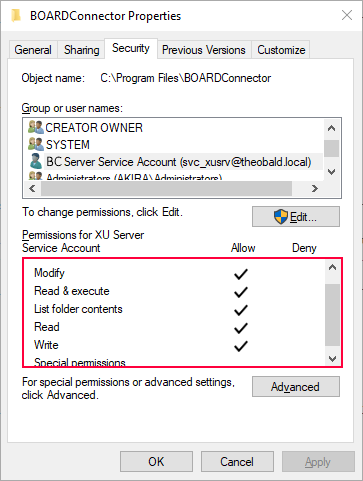
Grant access rights to the installation folder of Board Connector and all sub folders to the service account as shown in the following screenshot:
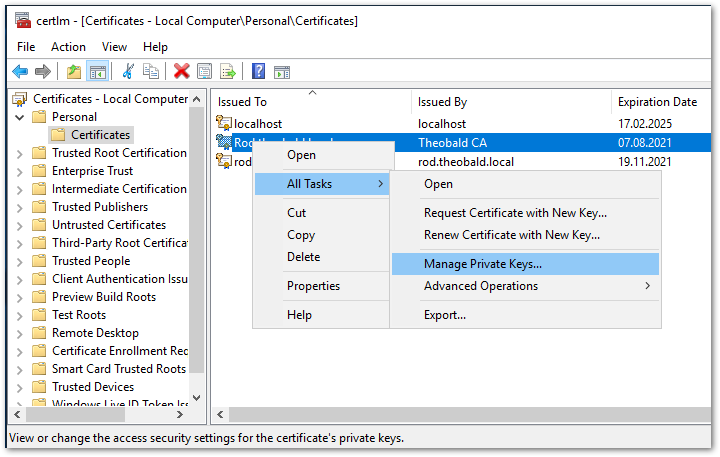
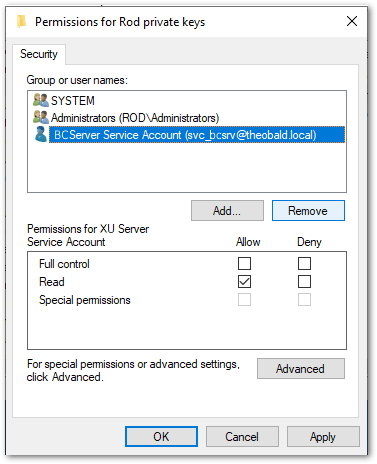
- If applicable, make sure the service account has Read access to the private key of the X.509 certificate used by Board Connector.
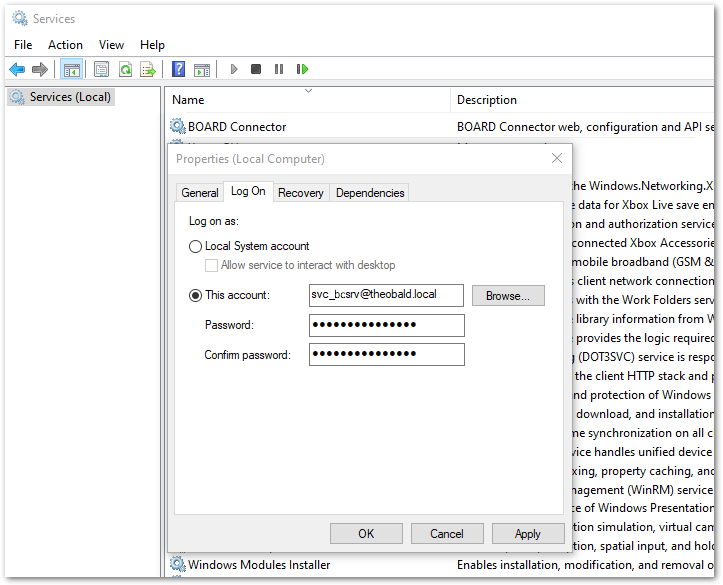
- Let the Board Connector service run under the service account. Make sure to use the correct domain, e.g., .company.local instead of .company.com.
- In the Board Connector Designer startup window "Connect to Board Connector Server", set Authentication to Windows credentials or Custom Credentials (Kerberos authentication).
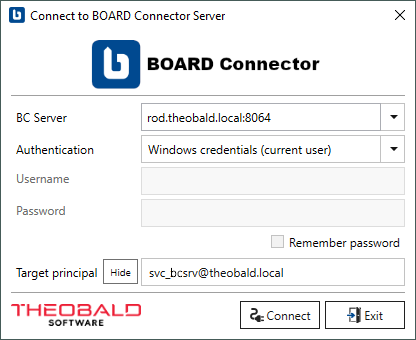
- Enter the User Principal Name (UPN) of the service account in the Target Principal field. For more information, see Knowledge Base Article: Target Principal Field.
The service account is configured for Windows domain authentication.
Settings for SSO with Kerberos SNC
When using SSO with Kerberos SNC additional steps are necessary:
- Set constrained delegation for the Windows domain account under which the Board Connector Service runs.
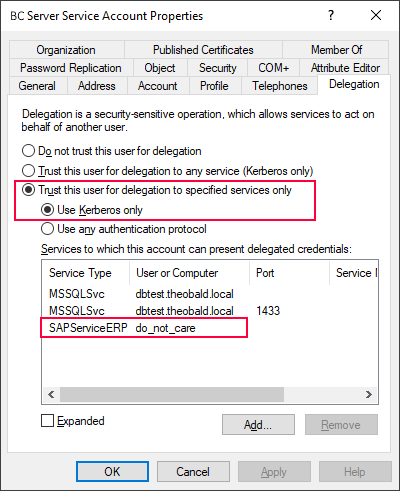
- Enter the SPN of the service account under which the SAP ABAP application server is running (SAP Service Account), e.g.,
SAPServiceERP/do_not_care.
For more information about the partner name notation in SAP, see the SAP Help: Preparing the Primary Application Server Instance.
Constrained delegation is configured for SSO with Kerberos SNC.
Related Topics
- Microsoft Documentation: About Service Logon Accounts
- Microsoft Documentation: Service Principal Names
- Knowledge Base Article: Target Principal Field