ODP(OData)
This page shows how to use the ODP(OData) extraction type.
The ODP(OData) extraction type can be used to extract ODP-based data via OData services.
Note
As the use of the RFC modules of the ODP Data Replication API is prohibited by SAP (SAP Note 3255746), the ODP(OData) extraction type is the recommended tool for extracting ODP data.
About ODP via OData
Open Data Protocol (OData) is a web protocol for querying and updating data. OData can be used to access the Open Data Provisioning (ODP) framework and extract ODP data, e.g., Hierarchies, Tables, Views, DataSources, etc.
To extract ODP data via OData, a corresponding OData service is required. The data model of the service specifies, which data sets are accessible and how the data is structured. Once the service is registered in the SAP Gateway system, Board Connector can consume the service.
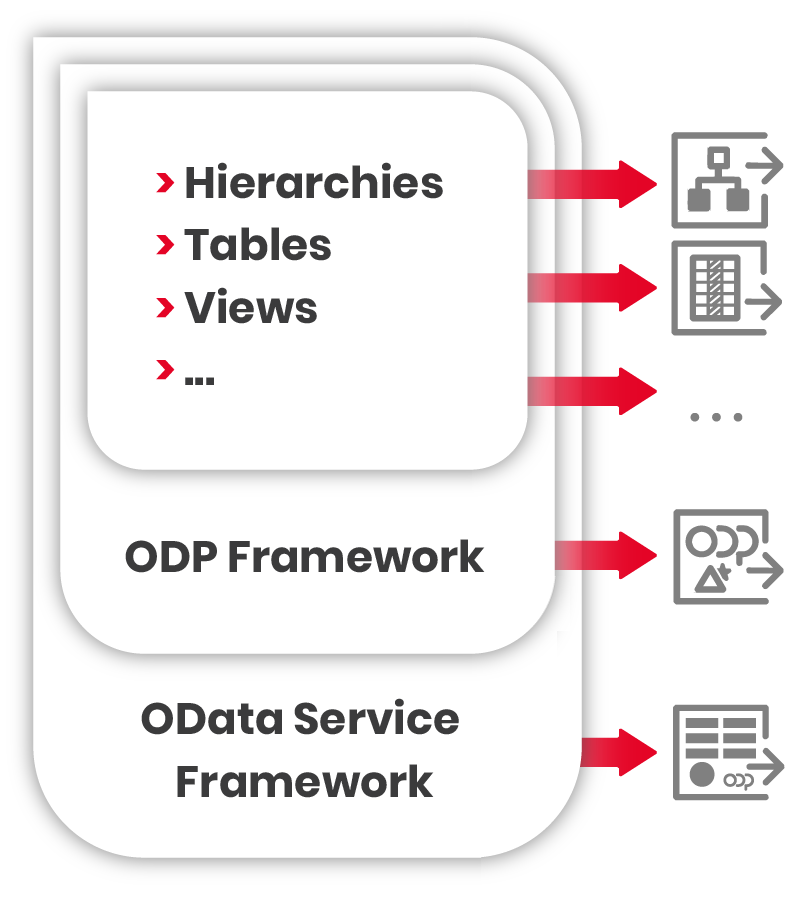
For more information, see SAP Help: ODP-Based Data Extraction via OData.
Tip
For information on how to create OData services that provide ODP based data, refer to the Knowledge Base Article: Create OData Services using the SAP Gateway Builder.
Supported Features
- All available ODP contexts of an SAP system are accessible.
- Delta extractions (with initial full load) if the ODP data source supports deltas, see Subscriptions.
- Data packaging for large amounts of data, see Package Size.
- Selections to filter the data before extraction, see Selections.
Limitations
The following limitations apply to delta extractions:
- Delta loads are supported for:
- SAP DataSources
- CDS Views that use a specific setup method, see Knowledge Base Article: Create OData Services for CDS Views.
- Delta subscriptions are limited to one SAP user per service. To enable multiple delta subscriptions for a single user, the ODP framework must be exposed via multiple services.
Prerequisites
- OData services for ODP extractions are available in the SAP system, see SAP Help: Generating a Service for Extracting ODP Data via OData.
- To extract a DataSource, the DataSource is activated in SAP, see SAP Help: Set Up and Activate DataSources.
- Before creating ODP (OData) extractions, test the ODP source in SAP using the ABAP report RODPS_REPL_TEST to rule out and troubleshoot ODP problems in the ODP source. For more information, see SAP Wiki: Replication test with RODPS_REPL_TEST.
- In Board Connector, create an SAP connection of type OData.
Supported Features
- All available ODP contexts of an SAP system are accessible.
- Delta extractions (with initial full load) if the ODP data source supports deltas, see Subscriptions.
- Data packaging for large amounts of data, see Package Size.
- Selections to filter the data before extraction, see Selections.
Limitations
Delta subscriptions are limited to one SAP user per service. The ODP framework has to be exposed in multiple different services for a single user to have multiple delta subscriptions.
Create a ODP(OData) Extraction
Follow the steps below to create a new ODP(OData) extraction in the Board Connector Designer:
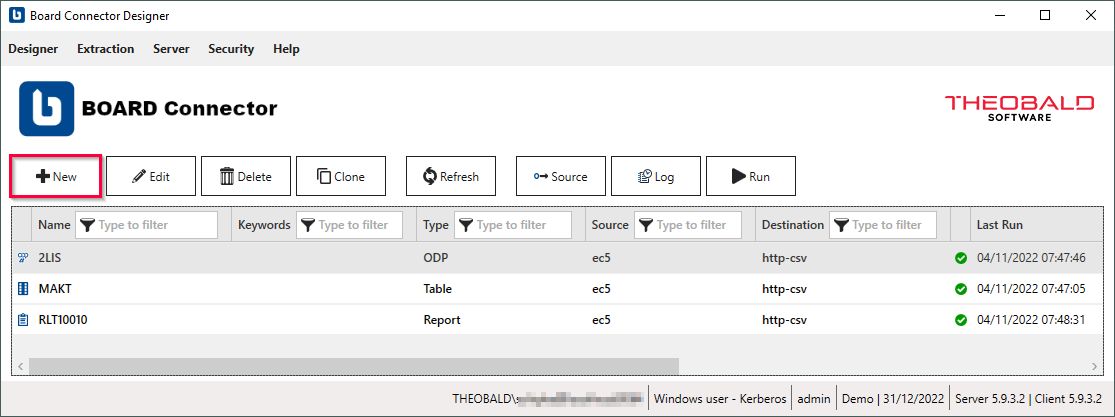
- In the main window of the Designer, click [New] to create a new extraction. The window "Create Extraction" opens.
- Select an SAP Connection of type OData from the drop-down menu Source.
- Enter a unique name for your extraction.
- Select the extraction type ODP(OData). The ODP(OData) extraction type is only available if the SAP source connection uses the OData protocol.
- Click [OK].
The main window of the extraction type opens and you can start setting up your extraction.
Look Up OData Services
Follow the steps below to look up OData services in SAP:
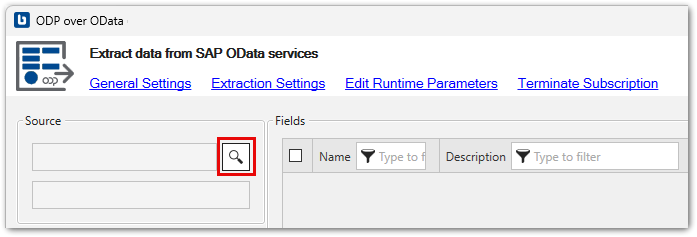
- In the main window of the extraction type, click [
]. The window “Service Selection” opens.
-
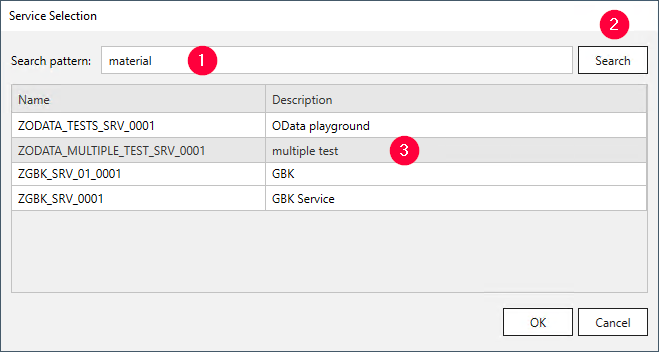
In the field Search pattern , enter one of the following characteristics:
- name of an OData service
- description of an OData service
- name of the entity inside the OData service
Use wildcards (*), if needed.
-
Click [Search] . Search results are displayed.
- Select an OData service and click [OK] to confirm.
The OData service is selected and the application returns to the main window.
Note
To find DataSources, they have to be activated in SAP.
Configure the ODP(OData) Extraction Type
Follow the steps below to configure the ODP(OData) extraction type:
- In the section Fields, select the items you want to extract.
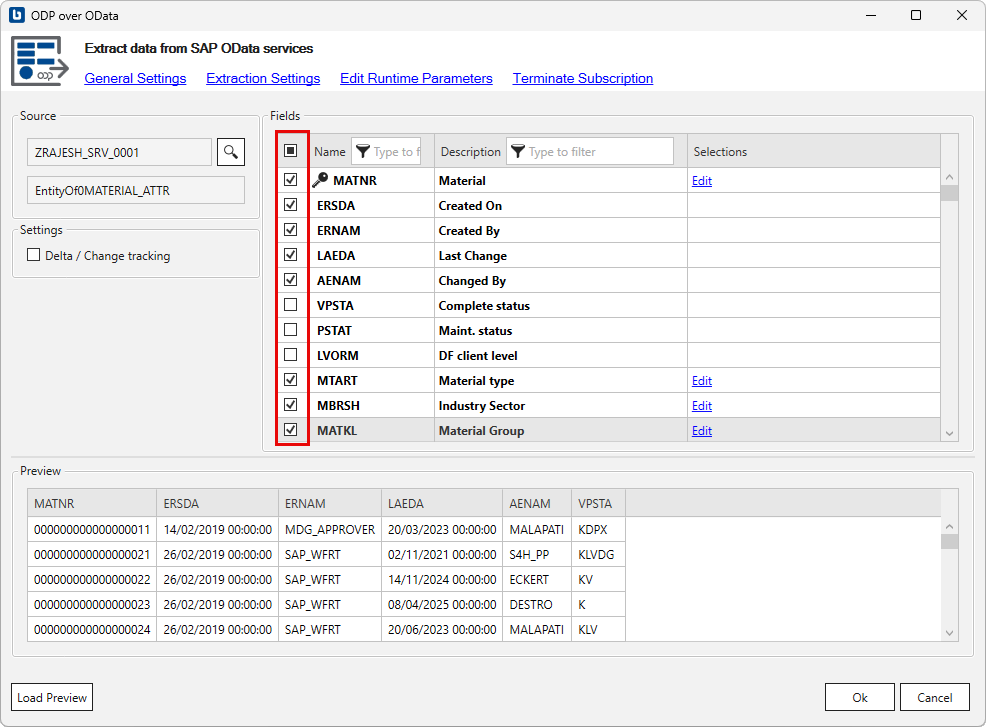
- Optional: Edit a selection you want to change or dynamize.
For more information, see Edit Selections.
- Optional: Activate the option Delta / Change tracking to initialize delta extractions. For more information, see Subscriptions.
- Click [Load live preview] to display a live preview of the first 100 records.
- Check the Extraction Settings and the General Settings before running the extraction.
- Click [OK] to save the extraction type.
The ODP(OData) extraction type is configured and ready to run, see Run Extractions.