Subscriptions
The ODP(OData) extraction type acts as a subscriber to data providers to extract delta data from the data provider.
Subscribe to a Data provider
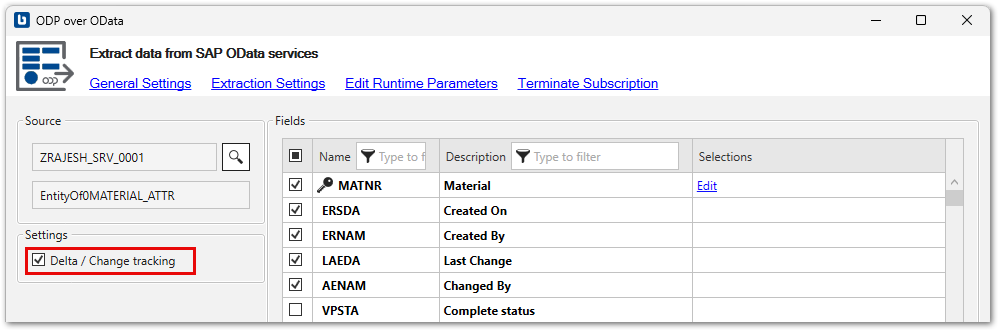
To initialize delta extractions, activate the checkbox Delta / Change tracking and run the extraction once. The first run extracts all the data that matches the set selection criteria. After the initialization, the ODP(OData) extraction type only extracts data added or changed on the SAP system since the last run.
Tip
Use SAP transaction ODQMON to display information about active subscribers in SAP.
Limitations
The following limitations apply to delta extractions:
- Delta loads are supported for:
- SAP DataSources
- CDS Views that use a specific setup method, see Knowledge Base Article: Create OData Services for CDS Views.
- Delta subscriptions are limited to one SAP user per service. To enable multiple delta subscriptions for a single user, the ODP framework must be exposed via multiple services.
Terminate Subscriptions
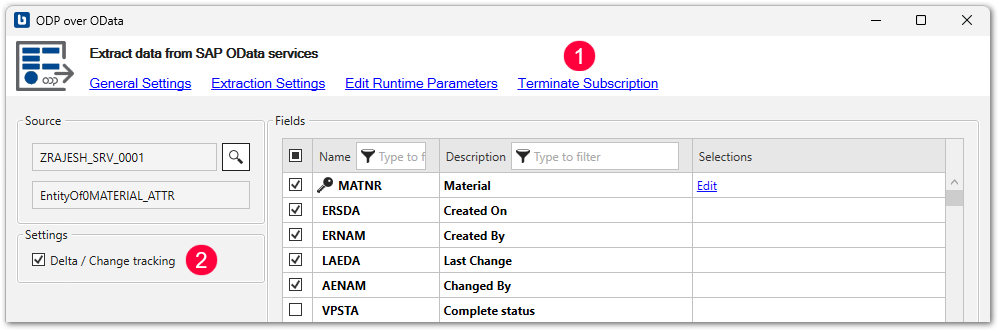
To terminate a subscription in Board Connector, click [Terminate subscription] and deactivate the checkbox Delta / Change tracking .
Last update:
February 27, 2025